

Introducing WeatherBot™
the WordPress Weather Plugin
Real‑time weather anywhere on your WordPress site — fast, accurate, beautiful
WeatherBot Makes it Quick and Easy to Add Weather to Your WP Website
WeatherBot is a lightweight, production‑ready WordPress plugin that turns a simple shortcode or widget into a live, on‑page weather badge anywhere on your site. It taps into the Google Maps Platform (Weather + Geocoding/Places) to resolve cities or precise latitude/longitude, then renders fast, accessible UI with configurable units and contrast. A built‑in Smart Geocoding Cache stores location lookups to reduce API calls and speed up repeat views, while the Usage Dashboard lets you review activity and flush cache whenever you change or standardize location formats.
Why WeatherBot?
Google-Powered Accuracy
Uses Google Weather + Geocoding APIs for precise locations and reliable conditions anywhere in the World.
Smart Geocoding Cache
Automatically caches city ⇄ coordinates lookups to slash API calls, speed up repeat views, and reduce the chance of rate-limit hits.
City or Geolocation Input
Enter a plain-language city (e.g., “Lake Arrowhead, CA”) or exact latitude and longitude for pinpoint, on-site accuracy—your choice per placement.
One-Line Shortcode
Add weather anywhere with a single shortcode; works in Classic, Blocks, and page builders regardless the active theme.
Display Types
Choose from a clean Badge, Compact, or Inline display depending on placement - headers, sidebars, widgets, and dense layouts.
New York Weather 83°F
83°F
Alignment Options
Control the horizontal alignment of all elements with a shortcode variant. Just enter align="left, center, or right" in the shortcode - no coding required.
Anchorage, AK 36°F
36°F
Phoenix, AZ 90°F
90°F
New York, NY83°F
Pre-Text Display Options
Optional pre_text + show_pre_text let you add context like “Baldwin Lake Weather:” before the conditions.
Units & Suffix Control
Switch between °F / °C and toggle the unit letter for layouts where every character counts.
Font Contrast Modes
font_color="light|dark" makes badges legible on any background without manual CSS edits.
Widget and Block Included
Drop the WeatherBot Widget or Block into any theme to place weather in global regions (sidebar, footer, etc.).
Get the WeatherBot WordPress Weather Plugin Today!
Sample Shortcode Layouts / Variants
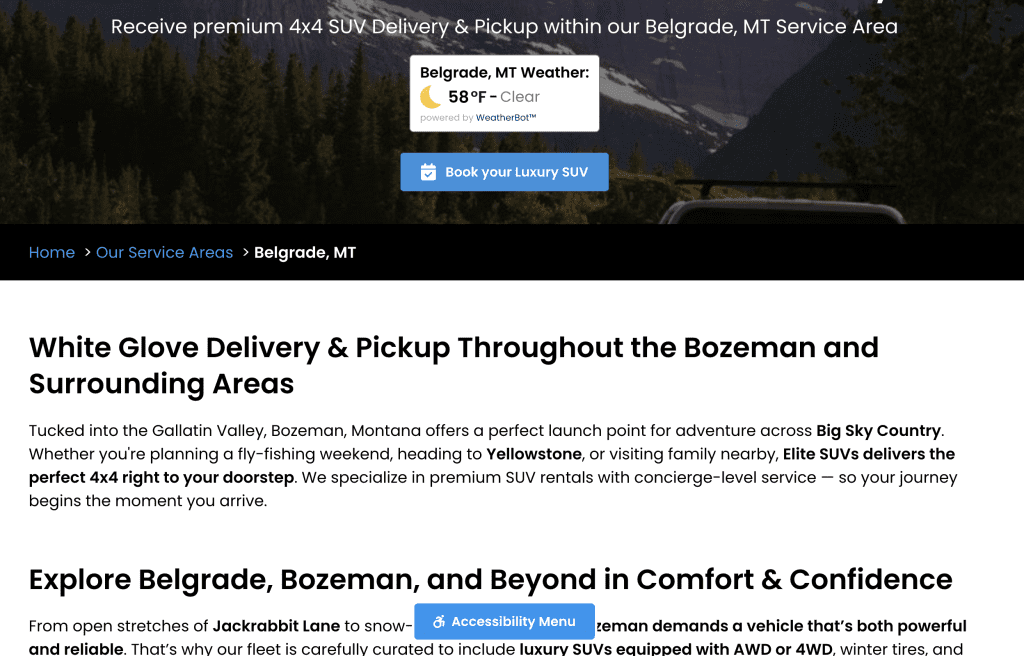
Badge Shortcode
The Badge display is perfect for homepage highlights, sidebars, or landing pages where you want weather to stand out. It’s styled like a card, draws attention, and makes local conditions easy to spot at a glance.
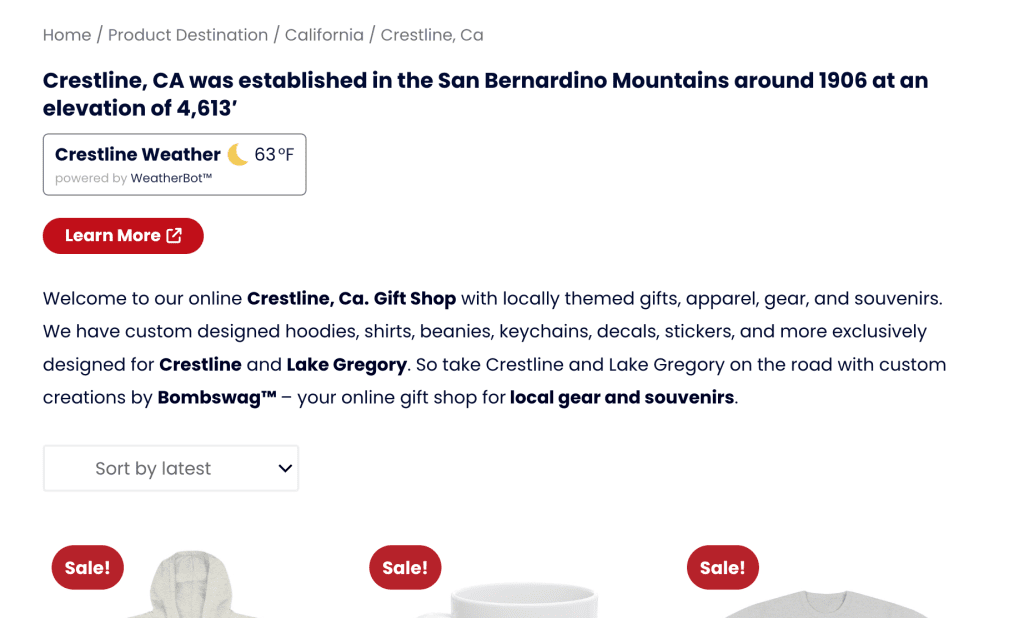
Compact Shortcode
The Compact display works best in content areas — blog posts, headers, or footers — where space is limited. It delivers essential weather info without disrupting the flow of the page.
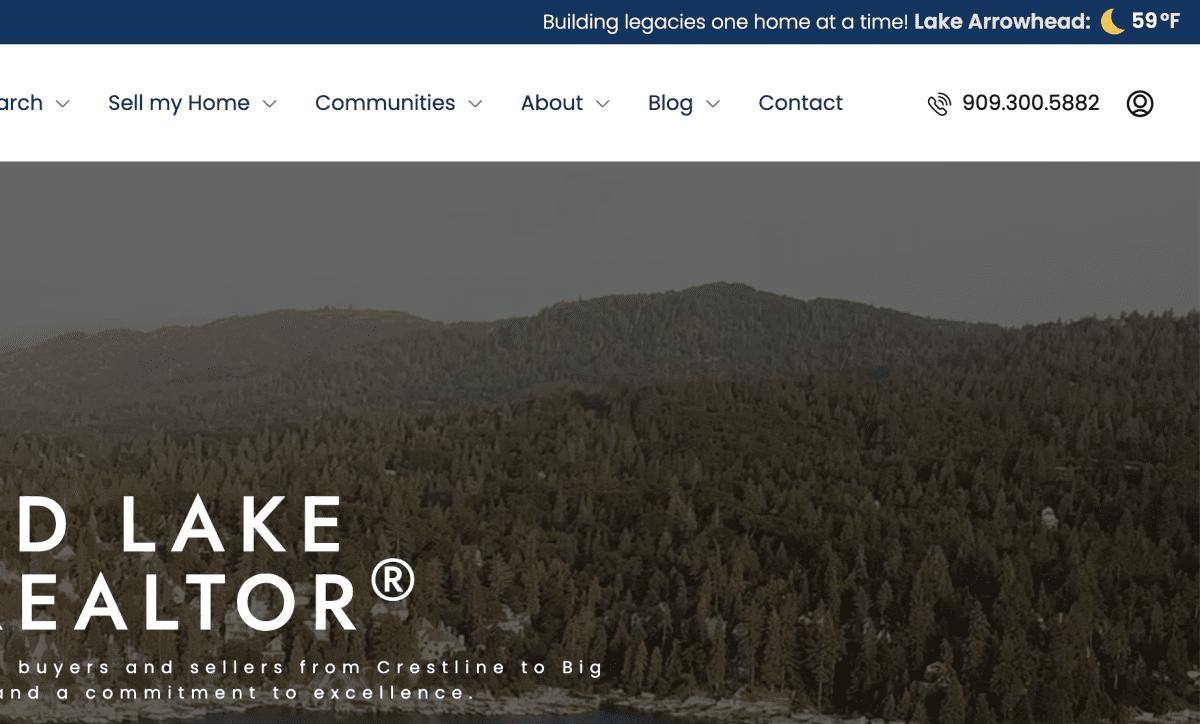
Inline Shortcode
Lake Arrowhead Weather:78°F
The Inline display is designed for text-heavy pages and guides. Perfect for travel blogs, local guides, or announcements, it lets you weave live weather directly into your copy without breaking the reading experience.

